

Nikon SB-900 Speedlight Software Driver and Firmware (Version 5.02) update for Microsoft Windows and Macintosh Operating Systems.
Nikon SB-900 Software Downloads
Operating System (s) : Microsoft Windows 8, Windows 7, Windows Xp
- Nikon SB-900 Win 8 Firmware – Download (166KB)
- Nikon SB-900 Win 7 Firmware – Download (165KB)
- Nikon SB-900 Win Xp Firmware – Download (165KB)
Basic Download and Nikon SB-900 Installation instructions for Windows and Macintosh: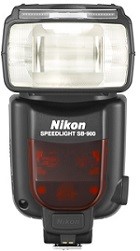

- Right-click an empty area of the desktop and selectNew>Folderfrom the menuthat appears. Name the folder as desired.
- Right-click theI agree – Begin downloadlink on the download site and selectSave Target As. Save the file to the folder created in Step 3-1.
- Open the folder created in Step 3-1 anddouble-clickF-SB900-V502W.exe.
- The following files will be extracted to a “SB900Update” folder in the new folder: -SB900502.BIN, -Firmware for the SB-900
- Windows: for firmware detailed installation instructions click here (English and .PDF format)
- Macintosh: for firmware detailed installation instructions click here.
Modifications/Note for Nikon SB-900 Firmware Version 5.02:
- With uninterrupted shooting with the SB-900 set to i-TTL mode, images captured just before the flash ceased firing were sometimes overexposed.This issue has been resolved.By resolving this issue, metering precision has been further increased and the number of times the flash fires has also been increased.When the SB-900, set to TTL auto flash mode, is used with a camera supporting the Nikon Creative Lighting System (CLS), flash mode automatically changes to A mode according to camera communication status.That flash mode was previously maintained, but it has been modified so that TTL auto flash mode is restored once the SB-900 again recognizes the camera as a CLS-compatible camera.
Cameras that can be used to upgrade the SB-900 firmware: Any Nikon DSLR camera that can recognize the “S:” firmware when the SB-900 is attached can be used to upgrade this Speedlight. Attach the Speedlight to the camera and switch to “ON”, then switch on the camera and press Menu then Firmware version. If you see S: 5.01, then that camera may be used.
Operating System (s) : Mac OS X 10.2.x, Mac OS X 10.3, Mac OS X 10.4, Mac OS X 10.5, Mac OS X 10.6, Mac OS X 10.7, Mac OS X 10.8
- Nikon SB-900 Mac Firmware – Download (166KB)
Download the software, firmware and drivers to keep your Nikon SB-900 Speedlight.

