

Nikon D80 Digital SLR Camera Software Driver and Firmware (Version A/B 1.11) update for Microsoft Windows and Macintosh Operating Systems.
Nikon D80 Software Downloads
Operating System (s) : Microsoft Windows Vista, Windows Xp
Confirming the firmware version:
- Turn on the Nikon D80
- Press the MENU button and select Firmware Version from the setup menu.The camera’s firmware version will be displayed.
- Turn off the Nikon D80
Basic Download and Nikon D80 Installation instructions for Windows and Macintosh: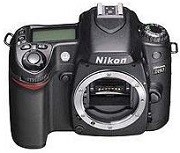

- Download and expand the firmware files.(D80Update.zip)
- Format an approved SD (Secure Digital) memory card in the camera.
- Connect Camera to computer (in MSC USB mode) or use a SD Card Reader.
- Copy to the top level of the card the downloaded “A firmware” file.
- Disconnect camera from computer.
- Update the firmware from the “Setup” menu.
- Follow the camera’s on-screen menus.
- Repeat steps 2 through 7 using the “B Firmware”, Re-format Card.
Modifications/Note for Nikon DSLR D80 Firmware Version A/B 1.11:
- An issue that, in some rare circumstances, caused the battery indicator to blink, regardless of actual battery charge, has been resolved.
Software:
Operating System (s) : Mac OS 9, Mac OS 9.2.2, Mac OS 10.1.5, Mac OS 10.2, Mac OS 10.3, Mac OS 10.4, Mac OS 10.5.5
- Nikon D80 Mac Firmware – Download (1.15MB)
Download the software, firmware and drivers to keep your Nikon D80 DSLR Camera.

