

Nikon D4 Digital SLR Camera Software Driver and Firmware (Version A:1.10 / B:1.10) update for Microsoft Windows and Macintosh OS.
Nikon D4 Software Downloads
Operating System (s) : Microsoft Windows 8.1, Windows 7
Operating System (s) : Microsoft Windows Vista, Windows Xp
Basic Download and Nikon D4 Installation instructions for Windows and Macintosh: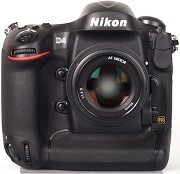

- Create a new folder with an appropriate name on your computer.
- Choose the correct download below for the computer system you are using, and save the download to the folder created in step 1.
- Run the downloaded file to create the folder titled D4Update, containing the following file: D4_0110.bin
- Format an approved memory card in the camera, then remove.
- Copy the D4_0110.bin file to the top level of the memory card using a memory card reader or similar device, do not copy the file into any folder on the memory card.
- Insert memory card into the cameras memory card slot, and switch on.
- Select Firmware Version from the setup menu and follow the instructions displayed to upgrade the camera’s firmware.
- DO NOT switch off the camera at any time during the update, doing so may result in the need for service.
- After the upgrade is complete, trun the camera off and remove the memory card.
- Check the cameras firmware version to be sure it completed.
- Format memory card in camera for use.
Modifications/Note for Nikon DSLR D4 Firmware Version A:1.10 / B:1.10:
- Custom Setting f17: Assign Remote Fn Button has been added * . Support for CompactFlash memory cards with capacities greater than 128 GB has been added.
- When an XQD memory card and one of certain CompactFlash memory cards were inserted in the camera at the same time, “Err” was displayed in the top control panel. This issue has been resolved.
- When AF-ON only was selected for Custom Setting a4 (AF activation) and the AF-ON button was pressed to initiate autofocus during viewfinder photography, focus remained locked even after the user took their finger off the button, and the shutter could be released at any time.
- However, specifications have been modified so that the shutter cannot be released under the following conditions if the camera fails to focus.
- Autofocus mode is set to AF-S (single-servo AF), AF-area mode is set to Single-point AF, Custom Setting a2 (AF-S priority selection) is set to Focus
Confirming the firmware version:
- Turn on the D4
- Press the MENU button and select Firmware Version from the setup menu. The camera’s firmware version will be displayed.
- Turn off the D4
Nikon D4 Distortion Control Data Version 2 Software Download for Windows 8.1, Windows 7, Windows Vista.
Operating System (s) : Mac OS 10.6.8, Mac OS 10.7, Mac OS 10.8, Mac OS 10.9.x
- Nikon D4 Mac Firmware – Download (33.5MB)
Download the software, firmware and drivers to keep your Nikon D4 DSLR Camera.

