

Nikon D300S Digital SLR Camera Software Driver and Firmware (Version A/B 1.02) update for Microsoft Windows and Macintosh Operating Systems.
Nikon D300S Software Downloads
Operating System (s) : Microsoft Windows 8, Windows 7
Operating System (s) : Microsoft Windows Vista, Windows Xp
Confirming the firmware version:
- Turn on the Nikon D300S
- Press the MENU button and select Firmware Version from the setup menu.The camera’s firmware version will be displayed.
- Turn off the Nikon D300S
Basic Download and Nikon D300S Installation instructions for Windows and Macintosh: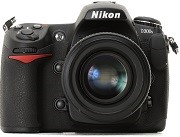

- Download the application below, and either click Save to save the executable file to your computer or Run to autoexpand the file into the D300SUpdate folder, which contains the D300S102.BIN file.
- Use a CF Card Reader and and an empty memory card, then Format the memory card prior to the update. (do not use a Lexar Jump Shot USB cable to perform this update).
- Copy the D300S102.BIN file to the top level of the card the downloaded firmware .BIN file.
- Insert memory card into camera, switch on.
- Update the firmware from the Setup/Firmware version menu.
- Follow the camera’s on-screen menus.
- Format memory card in camera for use.
Modifications/Note for Nikon DSLR D300S Firmware Version A/B 1.02:
- NOTE: This update is for the D300S model only, and not the D300. Do not attempt to upgrade the D300 with this firmware.Support for the AF-S NIKKOR 800mm f/5.6E FL ED VR has been added.
Software:
Operating System (s) : Mac OS 10.1.5, Mac OS 10.2, Mac OS 10.3, Mac OS 10.4, Mac OS 10.5, Mac OS 10.6, Mac OS 10.7, Mac OS 10.8.x
- Nikon D300S Mac Firmware – Download (7.4MB)
Download the software, firmware and drivers to keep your Nikon D300S DSLR Camera.

