

Nikon D2X Digital SLR Camera Software Driver and Firmware (Version 2.00) update for Microsoft Windows and Macintosh Operating Systems.
Nikon D2X Software Downloads
Operating System (s) : Microsoft Windows XP Professional, Windows XP Home
- Nikon D2X Win Xp Pro Firmware – Download (1.09MB)
- Nikon D2X Win Xp Home Firmware – Download (1.05MB)
Confirming the firmware version:
- Turn on the Nikon D2X
- Press the MENU button and select Firmware Version from the setup menu.The camera’s firmware version will be displayed.
- Turn off the Nikon D2X
Basic Download and Nikon D2X Installation instructions for Windows and Macintosh: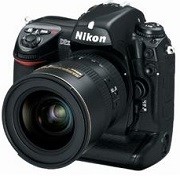

- Download the application below, and either click Save to save the executable file to your computer or Run to autoexpand the file into the D2X folder, which contains the firmware .bin file, which contains both A and B .bin files. These files MUST be added one at a time or damage will occur to the camera and service will be necessary.
- Format an approved CF card in the camera (do not use a Microdrive card to perform this update).
- Use a CF Card Reader (do not use a Lexar Jump Shot USB cable to perform this update).
- Copy the AD2X0200.bin file only to the top level of the card.
- Update the firmware from the camera Setup/ Firmware Version menu item.
- Follow the camera’s on-screen menus.
- Format the memory card.
- Repeat from Step 4 using only the BD2X0200.bin file.
Modifications/Note for Nikon DSLR D2X Firmware Version 2.00:
- H 0.3 (equivalent to ISO 1000), H 0.5 (equivalent to ISO 1100) and H 0.7 (equivalent to ISO 1250) options have been added between the ISO 800 and H 1 settings in the ISO menu.Subject acquisition and tracking performance with autofocus shooting has been increased.A Black-and-white (sRGB) option has been added to the Color mode item in the shooting menu.A Trim item has been added to the shooting menu.
Operating System (s) : Mac OS 9.2.2, Mac OS 104.11
- Nikon D2X Mac Firmware – Download (1.09MB)
Download the software, firmware and drivers to keep your Nikon D2X DSLR Camera.

