

Nikon D2H Digital SLR Camera Software Driver and Firmware (Version 2.01 and A:2.02 (A: only)) update for Microsoft Windows and Macintosh Operating Systems.
Nikon D2H Software Downloads
Operating System (s) : Microsoft Windows XP Professional, Windows XP Home
Confirming the firmware version:
- Turn on the Nikon D2H
- Press the MENU button and select Firmware Version from the setup menu.The camera’s firmware version will be displayed.
- Turn off the Nikon D2H
Basic Download and Nikon D2H Installation-Upgrade instructions for Windows and Macintosh: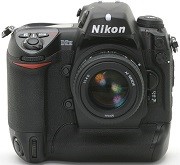

- Download the application below, and either click Save to save the D2Hfw201.zip file to your computer or Open/Run to autoexpand the file into the D2Hfw201 folder, which contains both A and B firmware (.bin) files. These files MUST be added one at a time or damage will occur to the camera and service will be necessary.
- Download the application below, and either click Save to save the D2Hfw202.zip file to your computer or Open/Run to expand the file into the D2H Update folder, which contains A firmware ONLY.
- Format an approved CF card in the camera (do not use a Microdrive card to perform this update).
- Use a CF Card Reader (do not use a Lexar Jump Shot USB cable to perform this update).
- Copy the AD2H0201.bin file only to the top level of the card.
- Update the firmware from the camera Setup/ Firmware Version menu item.
- Follow the camera’s on-screen menus.
- Format the memory card.
- Repeat from Step 4 using only the BD2H0201.bin file.(only firmware v2.01)
Modifications/Note for Nikon DSLR D2H Firmware Version 2.01 and 2.02:
- A:v2.02: When attempting to capture near subjects at a wide-angle focal length with the AF-S DX VR Zoom-Nikkor 18-200mm f/3.5-5.6G IF-ED and the lens focus ring positioned near the infinity position, the focus ring moves to the infinity position and may then become locked at that position.
- v2.01:The D2H sometimes froze with uninterrupted navigation between a number of photographs while playback zoom was activated. This problem has been corrected.When Image review in the playback menu was set to On and a photograph taken just after the camera stopped metering exposure (Auto meter-off activated) was displayed in the camera monitor, there was a significant delay before the shutter was released when the shutter-release button was pressed while this photo was displayed. This problem has been corrected.When AF-area mode was set to Group dynamic-AF and a6 Focus area illum* in the CSM menu was set to When selected>1 s, the focus area was illuminated for 1 second with a half-press of the shutter-release button. This problem has been corrected.*Focus area illum is Custom Setting a5 with D2H firmware version 1.0.
Operating System (s) : Mac OS 9.2.2, Mac OS 10.4.11
Download the software, firmware and drivers to keep your Nikon D2H DSLR Camera.

