

Nikon MSV-01 Coolwalker Digital Storage Photo Viewer Software Driver and Firmware (Version 1.30) update for Microsoft Windows and Macintosh Operating Systems.
Nikon CoolWalker MSV-01 Software Downloads
Operating System(s): Microsoft Windows Vista, Windows Xp
- Nikon CoolWalker MSV-01 Win Vista Firmware – Download (1.5MB)
- Nikon CoolWalker MSV-01 Win Xp Firmware – Download (1.4MB)
Basic Download and Nikon CoolWalker MSV-01 Installation instructions for Windows and Macintosh: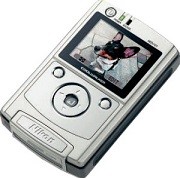

- Download and expand the firmware files.
- Format an approved CF card.
- Connect Coolwalker to computer (in MSC USB mode) or use a CF Card Reader.
- Copy to the top level of the card the downloaded “firmware” folder (which contains the “firmware.bin” file).
- Disconnect Coolwalker from computer.
- Start Coolwalker.
- Press Coolwalker’s “Info” button.
- Press Coolwalker’s “Update” button, Follow on-screen instructions, At completion of upgrade restart camera (in Shooting mode).
- Re-format Card.
Modifications/Note for Nikon CoolWalker MSV-01 Firmware Version 1.30:
- When some pictures taken with the cameras noted below were viewed in full-screen playback, the image displayed in the monitor did not fill the entire screen. This problem has been corrected.
- D2X, D2Hs: TIFF files
- COOLPIX 8800, COOLPIX 8400: JPEG files recorded at an image-size setting of 8M, 5M or 3:2 and an image-quality setting of EXTRA
- A problem that prevented display of JPEG files recorded with the D50 at an image-size setting of S has been corrected.
- A problem that the COOLWALKER is not correctly recognized by the computer running some versions of Mac OS X has been corrected.
Operating System(s): Mac OS 10.1.5, Mac OS 10.2, Mac OS 10.3, Mac OS 10.4, Mac OS 10.5.3
- Nikon CoolWalker MSV-01 Mac Firmware – Download (1.4MB)
Download the software, firmware and drivers to keep your Nikon CoolWalker MSV-01.

