

Nikon Coolpix S230 Digital Camera Software, Driver and Firmware (Version 1.2) update for Microsoft Windows and Macintosh OS.
Nikon Coolpix S230 Software Downloads
Operating System (s) : Windows 7, Windows Vista, Windows Xp
- Nikon Coolpix S230 Win 7 Firmware – Download (3.57MB)
- Nikon Coolpix S230 Vista Firmware – Download (3.58MB)
- Nikon Coolpix S230 Win Xp Firmware – Download (3.56MB)
Basic Download and Nikon Coolpix S230 Installation instructions for Windows and Macintosh: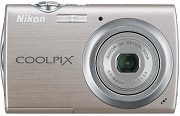

- Windows: Create a new folder with an appropriate name on your computer’s hard drive. Download to the new folder, and unzip S230Update.zip to produce the folder labeled S230Update containing the folder labeled firmware.
-
- Macintosh: Download and unzip S230Update.zip to produce the folder labeled S230Update containing the folder labeled firmware.
- Windows and Macintosh – Both download files contain the same S230Update folder, which contains.
- firmware: folder containing the firmware, -firmware.bin: the firmware (located inside the firmware folder).
- Use a card reader or similar device to copy the entire firmware folder to the root of a formatted memory card. This means to copy onto the drive letter or mounted disk itsellf and not into any folder on the drive or mounted disk.
- Insert the memory card , containing the firmware folder in the memory card slot and turn on the camera. Highlight Firmware version in the setup menu, press the OK button, and follow instructions displayed to upgrade the camera’s firmware.
- When Done is displayed in the camera monitor, follow instructions and turn the camera off, eject the SD memory card.
- Access the Firmware version item in the setup menu to confirm that the camera’s firmware has been upgraded.
Operating System (s) : Mac OS 10.1.5, Mac OS 10.2, Mac OS 10.3, Mac OS 10.4, Mac OS 10.5, Mac OS 10.6.2
- Nikon Coolpix S230 Mac Firmware – Download (3.58MB)
Download the software, firmware and drivers to keep your Nikon Coolpix S230 Digital Camera.

