

Nikon Coolpix 8800 Digital Camera Software Driver and Firmware (Version 1.7) update for Microsoft Windows and Macintosh OS.
Nikon Coolpix 8800 Software Downloads
Operating System (s) : Windows XP, Windows ME
- Nikon Coolpix 8800 Win Xp Firmware – Download (1.36MB)
- Nikon Coolpix 8800 Win ME Firmware – Download (1.35MB)
Basic Download and Nikon Coolpix 8800 Installation instructions for Windows and Macintosh: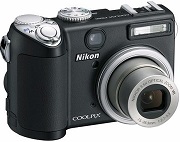

- Click the download link below for your computer type.
- Save the file to your desktop for easy location after the download completes.
- Windows: Run the CP8000fw1.7.zip file to produce the folder labeled E8800Update containing the folder labeled firmware.
- Macintosh: Run the CP8000fw1.7.zip file to produce the folder labeled E8800Update containing the folder labeled firmware.
- Connect Camera to computer (in MSC USB mode) or use a CF Card Reader
- Copy to the top level of the card the downloaded “firmware” folder (which contains the “firmware.bin” file).
- At completion of upgrade restart camera (in Shooting mode).
- Re-format Card
Operating System (s) : Mac OS 8.6, Mac OS 9.2.2, Mac OS 10.1.5
- Nikon Coolpix 8800 Mac Firmware – Download (1.35MB)
Download the software, firmware and drivers to keep your Nikon Coolpix 8800 Digital Camera.

